Living Breathless Living Breathless
  • Tech
  • Health
  • Sports
  • Entertainment
  • Editorials
  • Auto
  • Business

Latest Post

  • How to Set Up Your First Pair of Smart Glasses
  • How to Transfer Digital IDs to Your Mobile Wallet Securely
  • How to Use the New Alexa+ Web Interface for Agentic Workflows
  • Battlefield 2042 Season 1 Roadmap Reveals New Map, Specialist, and Weapons
  • Star Wars Movie ‘The Mandalorian & Grogu’ Begins Production
  • Illinois Family Faces Backlash After 8-Year-Old Daughter Reports Crime
  • Family of Dead Teen Says ChatGPT Parental Controls Inadequate
  • Family Arguments Over Housing and Inheritance Create Lasting Rifts
  • How to Block Specific Apps from Internet Access in Windows Firewall
  • How to Disable Background Apps for Faster Windows Performance

Living Breathless Living Breathless

  • Tech
  • Health
  • Sports
  • Entertainment
  • Editorials
  • Auto
  • Business
Living Breathless Living Breathless
How to Check if Someone Logged into Your Windows PC Remotely
ByOliver
July 7, 2025

How to Check if Someone Logged into Your Windows PC Remotely

Learn how to check for unauthorized remote access on your Windows PC using Event Viewer, sign-in activity, and network tools.
  • Editorials
How to change folder icon to emoji in Windows
ByOliver
July 4, 2025

How to Change Folder Icon to Emoji in Windows

Personalize your Windows folders! Learn how to easily change any folder icon to an emoji, making your desktop visually appealing and organized.
  • Editorials
How to Manually Update Drivers in Windows
ByLiam Noah
June 28, 2025

How to Manually Update Drivers in Windows

Learn how to manually update drivers in Windows for optimal performance and troubleshooting. A step-by-step guide covering Device Manager, manufacturer websites, and more.
  • Editorials
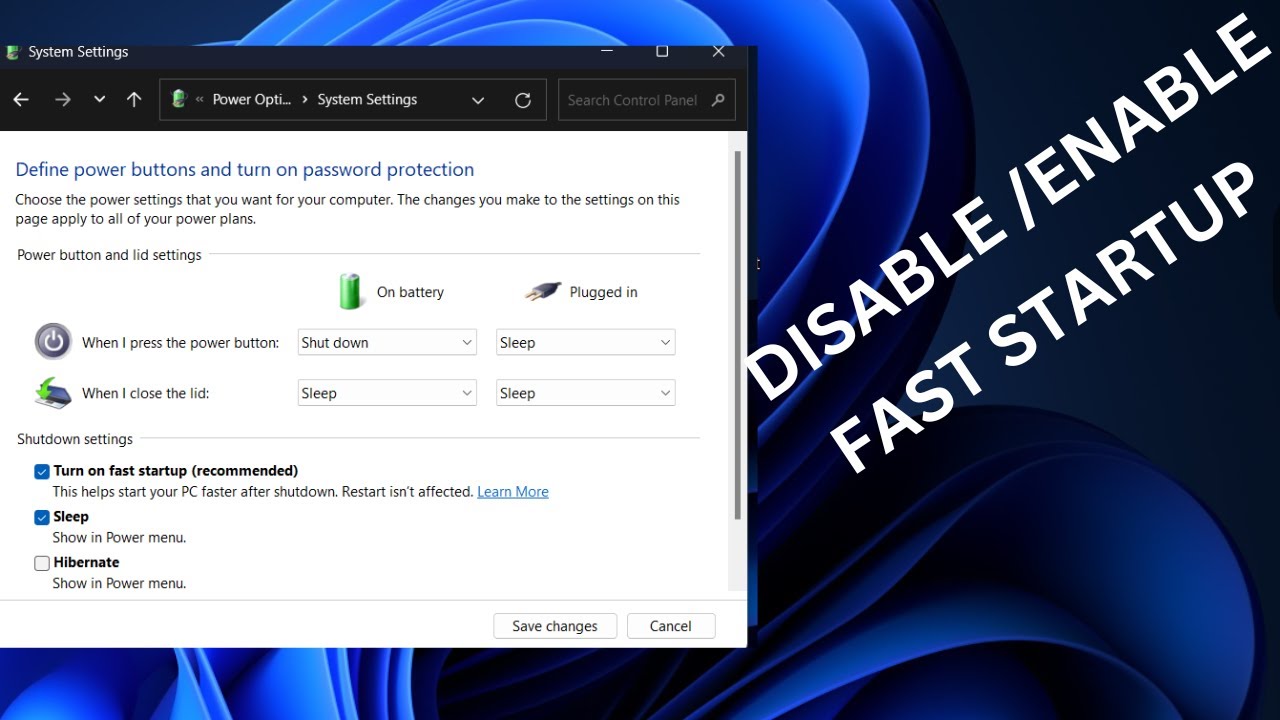
How to Disable Fast Startup in Windows
ByElijah Smith
June 24, 2025

How to Disable Fast Startup in Windows

Learn how to disable Fast Startup in Windows 10/11. Solve shutdown issues, driver problems, and dual-boot conflicts for a cleaner restart.
  • Editorials
How to Disable Webcam in Windows Permanently
ByOliver
June 20, 2025

How to Disable Webcam in Windows Permanently

Learn how to permanently disable your webcam in Windows for enhanced privacy. This guide covers device manager, privacy settings, and physical methods.
  • Editorials
How to Back up Files Using File History in Windows
ByOliver
June 19, 2025

How to Back up Files Using File History in Windows

Protect your data! Learn how to back up files using File History in Windows 10 & 11. Easily set up automatic backups to an external drive and restore previous file versions.
  • Editorials
How to Fix HDMI Not Working on Windows Laptop
ByLiam Noah
June 18, 2025

How to Fix HDMI Not Working on Windows Laptop

Solve your "HDMI not working" problem on Windows laptops! This guide covers common fixes from checking cables and display settings to updating graphics drivers.
  • Editorials
How to Use Virtual Desktops in Windows
ByLiam Noah
June 16, 2025

How to Use Virtual Desktops in Windows 11

Master virtual desktops in Windows 11 to organize your workspace, improve productivity, and manage multiple tasks efficiently.
  • Editorials
How to Create Guest Account in Windows
ByOliver
June 13, 2025

How to Create Guest Account in Windows

Learn how to create a guest-like account in Windows 10/11 using Settings or Command Prompt to provide limited access for temporary users.
  • Editorials
How to Use keyboard Shortcuts in Windows for Productivity
ByLiam Noah
June 12, 2025

How to Use keyboard Shortcuts in Windows for Productivity

Boost your Windows productivity by mastering essential keyboard shortcuts. Learn how to navigate, manage windows, edit text, and streamline your workflow with key combinations.
  • Editorials
How to Monitor fan Speed and Adjust Cooling on your PC
ByOliver
June 11, 2025

How to Monitor fan Speed and Adjust Cooling on your PC

Learn how to monitor fan speed and adjust cooling on your PC. This guide covers using BIOS/UEFI, software, and optimizing fan curves for performance and quiet operation
  • Editorials
How to Flush DNS Using Windows Command Line
ByLiam Noah
June 7, 2025

How to Flush DNS Using Windows Command Line

Learn how to flush DNS on Windows using the Command Line. Resolve internet connectivity issues, access updated websites, and enhance privacy by clearing your DNS cache.
  • Editorials

Search

Important Links

  • About
  • Team
  • Contact
  • Privacy Policy

Recent Posts

  • How to Set Up Your First Pair of Smart Glasses January 14, 2026
  • How to Transfer Digital IDs to Your Mobile Wallet Securely January 11, 2026
  • How to Use the New Alexa+ Web Interface for Agentic Workflows January 8, 2026
  • Battlefield 2042 Season 1 Roadmap Reveals New Map, Specialist, and Weapons October 1, 2025
  • Star Wars Movie ‘The Mandalorian & Grogu’ Begins Production September 24, 2025
Living Breathless Living Breathless
  • About
  • Team
  • Contact
  • Privacy Policy
©️ 2025 — Living Breathless. All Rights Reserved.